
A
Use for verification
Outer-box serial
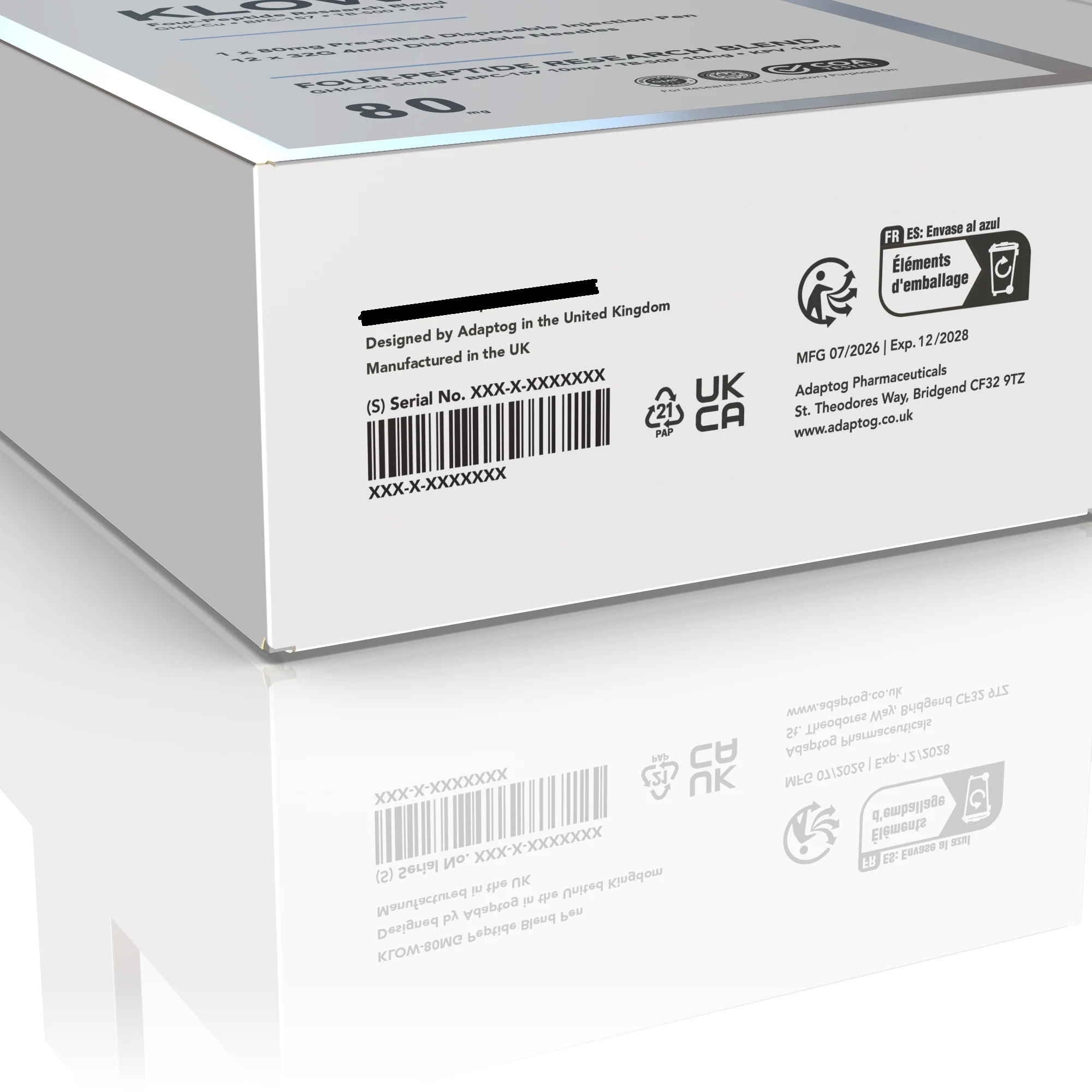
Look for Serial No. on the bottom flap of the outer box. Enter that code in the checker above.
Product verification
Find the serial on your Adaptog outer box, enter it below and check it against our records.
Check a serialUse the unique code printed next to Serial No. on the outer packaging. Include every letter and number.
Need help finding it? Contact our team
Check the bottom flap of your outer box for the line marked Serial No.
Type the letters and numbers from that line. Spaces and hyphens are fine.
We’ll tell you whether that serial appears in the records available to this checker.
Packaging can carry more than one identifying code. Use the examples below to find the right one.
Look for Serial No. on the bottom flap of the outer box. Enter that code in the checker above.
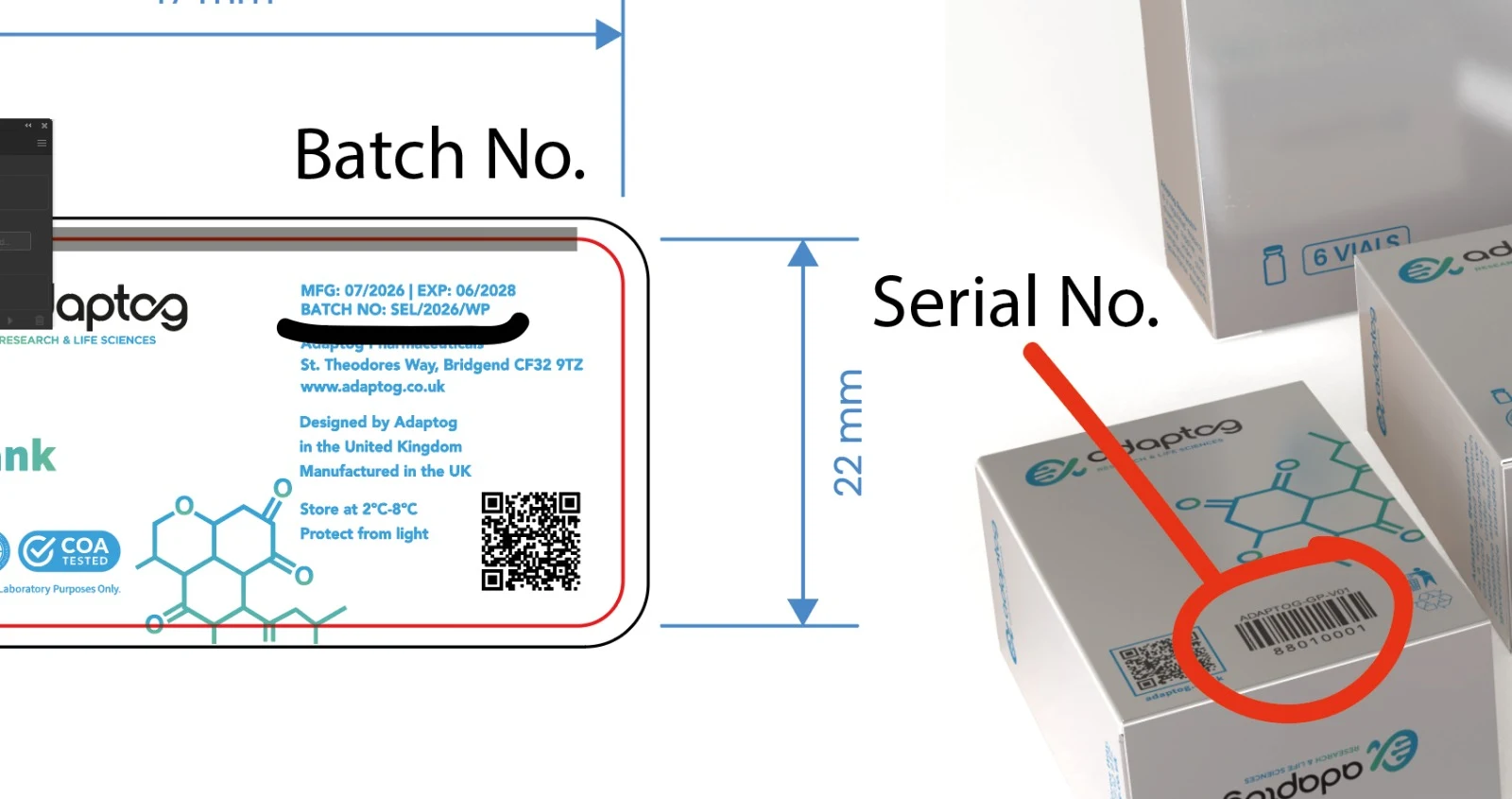
Vials carry a batch number, which you can search in the COA library. If your carton has a numbers-only serial, contact our team for a check.
The check compares your entry with the serial records supplied to Adaptog. Keep the packaging nearby while checking.
The code you entered matches a serial in our records. A matching serial alone cannot confirm every aspect of a physical item, so keep your packaging and contact us if anything else seems wrong.
Check each character and try again using the code beside Serial No. A missing match does not automatically mean the product is counterfeit. Our team can help review the packaging.
Vial labels show batch numbers rather than individual serials. Search the batch in our COA library to find its laboratory report.
Numeric carton serials are a different packaging format. Send the code and a clear photo of its label to our team for help checking it.
Include a clear photo of the serial label on the outer box and the exact code as printed. Please keep the original packaging until your query is resolved.
Send us a clear photo of the code area and we’ll help you identify the right reference.